1
Log Into MiPLUS
Go to the MiPLUS website at www.mi.gov/MiPLUS and log into your account with your MiPLUS username and password (create an account if necessary). Our broker number is 6505361018.
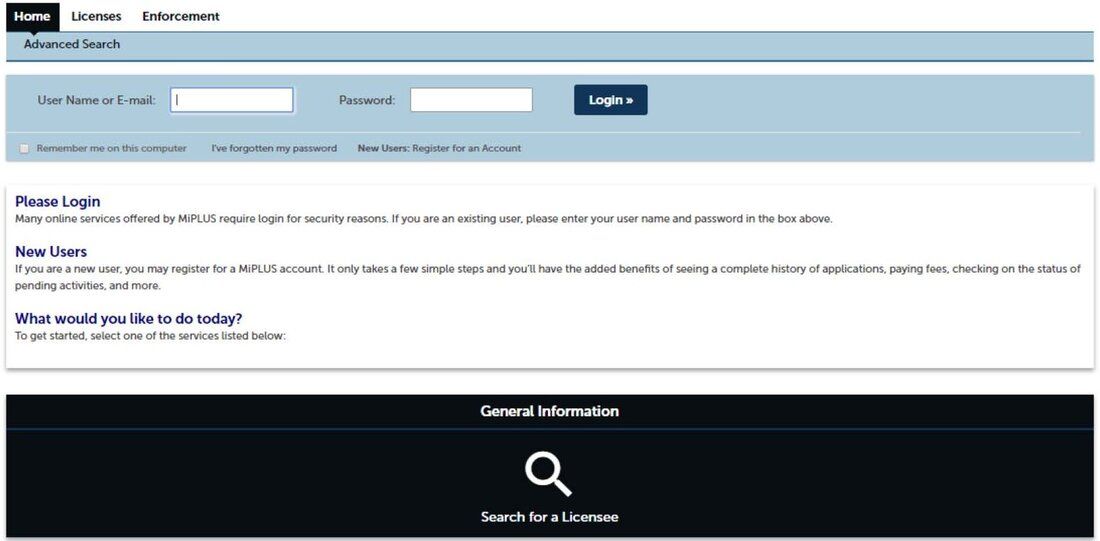
Go to the MiPLUS website at www.mi.gov/MiPLUS and log into your account with your MiPLUS username and password (create an account if necessary). Our broker number is 6505361018.
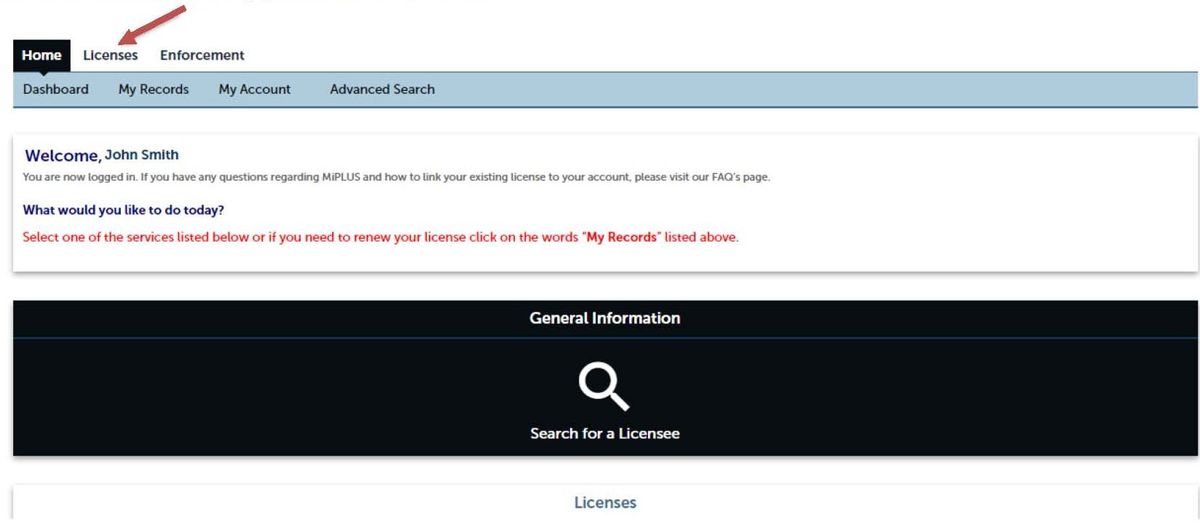
Click on "Licenses," which is located above the welcome message.
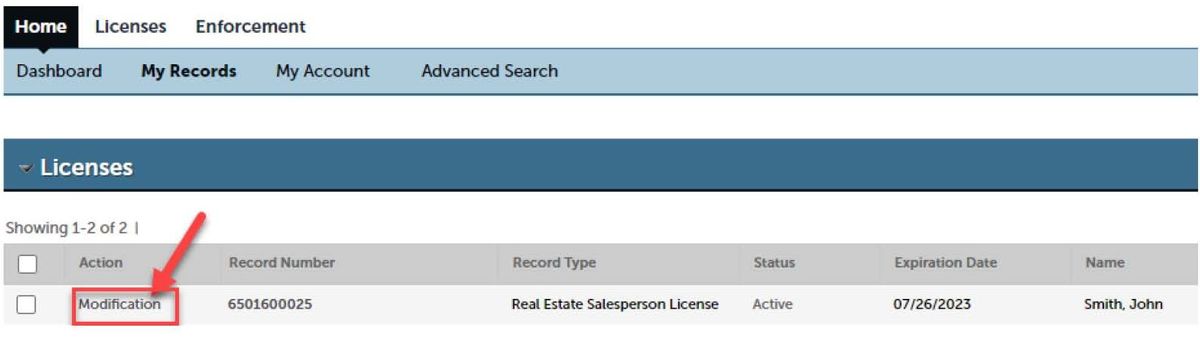
Select "Modification" next to your license number.
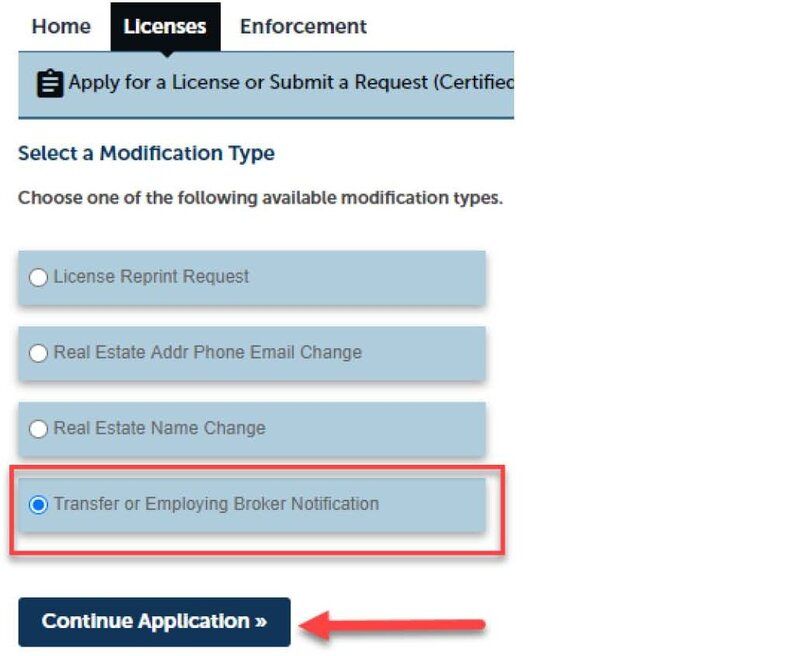
Select "Transfer or Employing Broker Notification" and click "Continue Application."
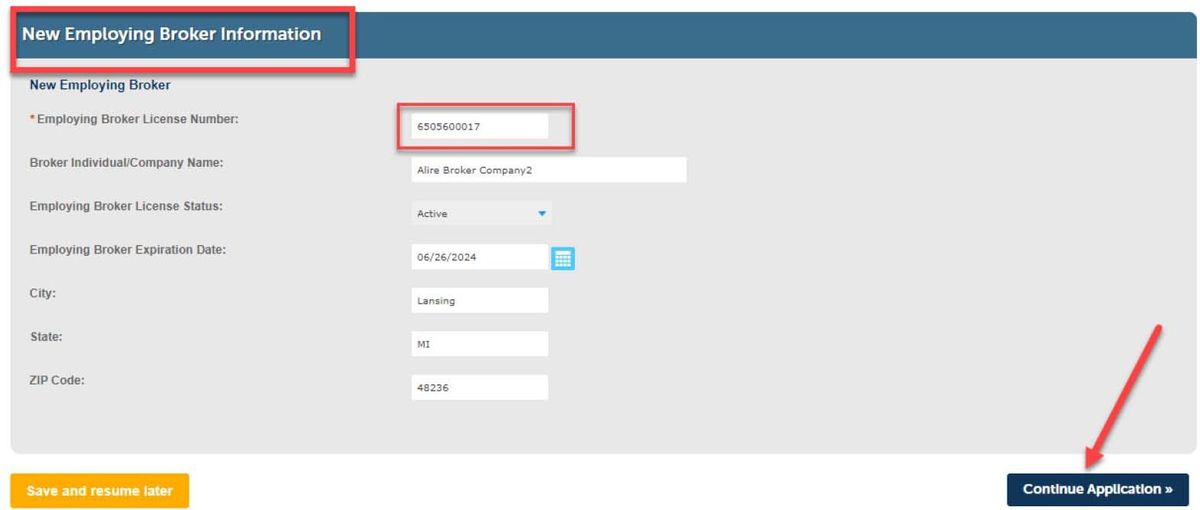
Scroll down to "New Employing Broker Information" and enter your new employer's 10-digit license number. Our Broker Number is 6505361018. Our company name and information might auto-populate. Click "Continue Application."
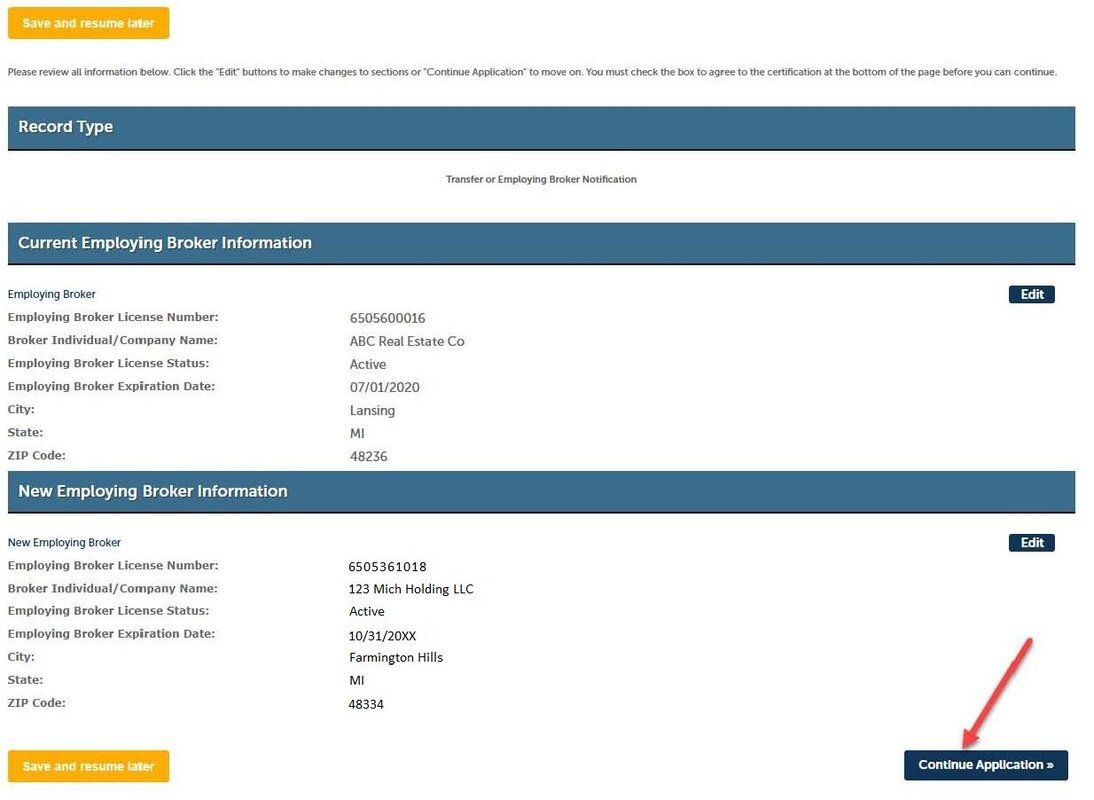
Review your information to make sure that everything is accurate. If you need to make a correction, click "Edit." If everything looks good, click on "Continue Application" to submit the request.
You will now see a confirmation that your license transfer request was submitted successfully.
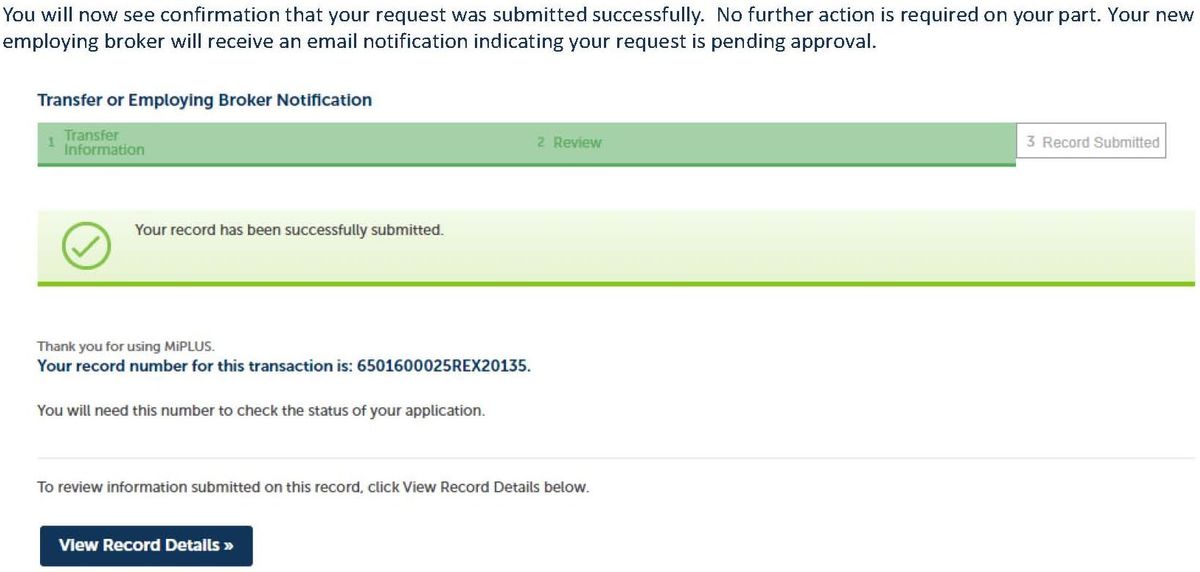
We'll take it from here! We will accept your license transfer to our brokerage shortly and send you a confirming email. If you do not see the confirmation email in 24 hours, please check your Spam/Junk folder or contact us at info@123MichHolding.com.